User Authentication
This section covers the core user access flows in the portal.
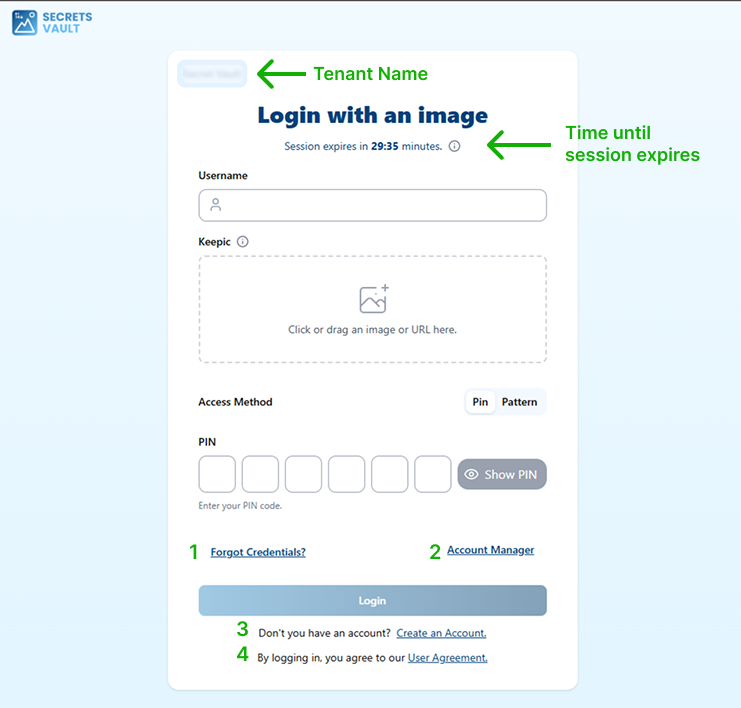
In the login view above, note the highlighted elements:
- The header displays the tenant name.
- A countdown indicates how long the session remains active.
- The numbered links correspond to the sections described below.
From this menu, you can access the following sections:
- Login: Sign in using username, Keepic, and PIN or pattern.
- Register: Create a new account when self-registration is enabled (3).
- Reset Credentials: Recover access through the forgot-credentials flow (1).
- User Profile: View and manage personal information and settings (2).
- User Agreement: Review the terms and conditions of the service (4).
Each flow is documented independently to simplify future updates.