SCIM2 Configuration
This read-only section displays the SCIM 2.0 provisioning endpoints and metadata required to integrate with your tenant for identity lifecycle management (user and group provisioning, updates, and deprovisioning).
Overview
SCIM 2.0 (System for Cross-domain Identity Management) allows external identity management systems (such as Okta, Azure Active Directory, or other HR/Identity platforms) to automatically provision and manage users and groups in your Visual Passcodes tenant.
The configuration section provides the URLs and information needed to set up this integration on the external platform side.
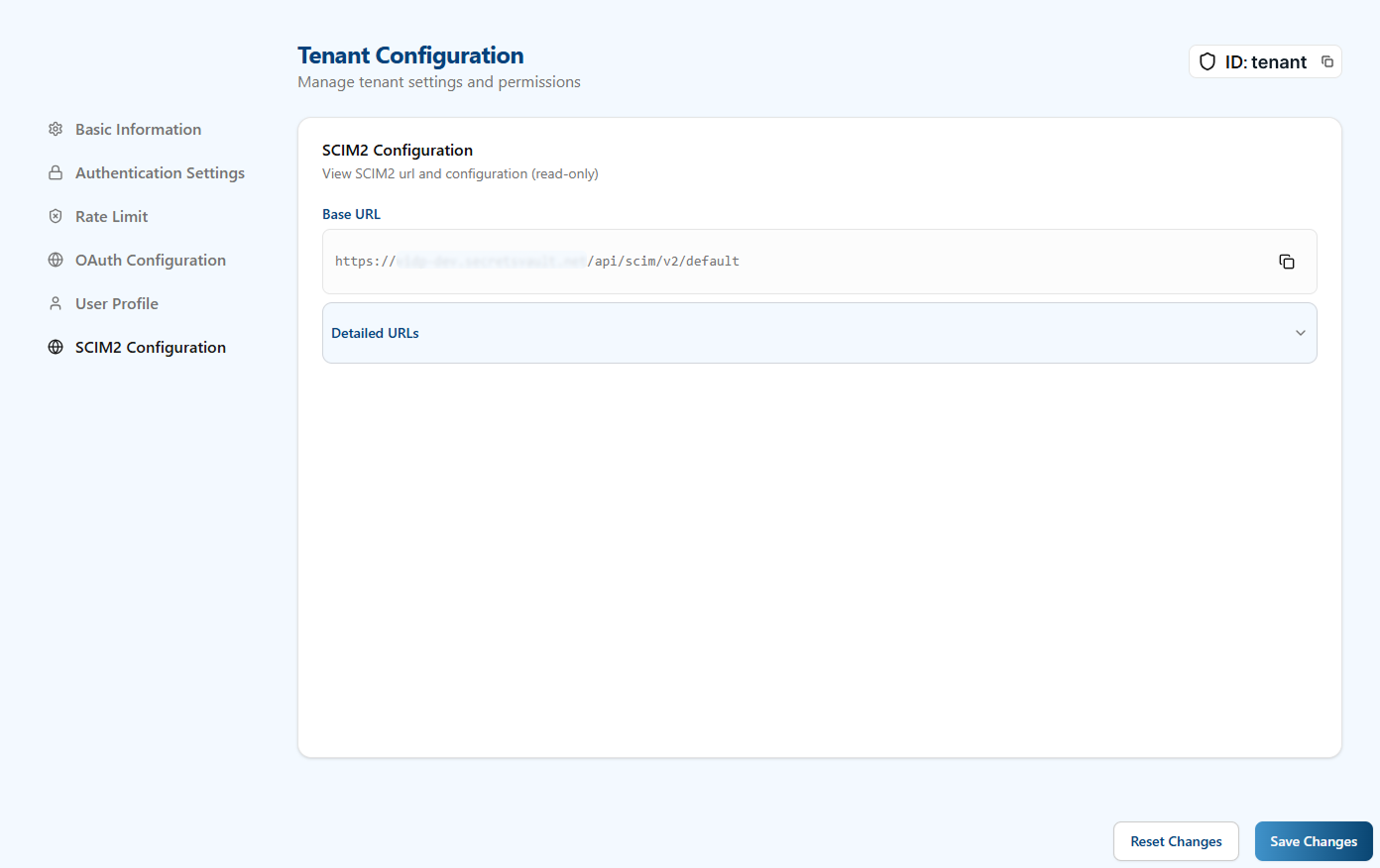
Base URL
- Base URL: The root endpoint for all SCIM 2.0 operations for your tenant.
- Format:
https://<your-domain>/scim/v2/{tenant_id} - Use this URL when configuring your external identity platform's SCIM provisioning connector.
- Format:
Detailed URLs
The Detailed URLs section expands to show individual SCIM 2.0 service endpoints:
-
Service Provider Config:
- Endpoint:
/ServiceProviderConfig - Purpose: Returns compliance details, authentication schemes, and supported data models for the SCIM service.
- Use: External platforms may query this to validate SCIM 2.0 compliance.
- Endpoint:
-
Schemas:
- Endpoint:
/Schemas - Purpose: Retrieves definitions of the SCIM resource schemas (User, Group, etc.).
- Use: Helps external platforms understand the attribute structure supported by this tenant.
- Endpoint:
-
Resource Types:
- Endpoint:
/ResourceTypes - Purpose: Lists available resource types that can be managed (e.g., User, Group, and their supported operations).
- Use: External platforms use this to determine which operations are available for provisioning.
- Endpoint:
Setup Steps
To use SCIM 2.0 provisioning with your tenant:
- Copy the Base URL: From this configuration section, copy the Base URL.
- Create an API Key: Navigate to API Key Management and create a new API key with
SCIM2scope. - Configure External Platform: In your external identity platform (Okta, Azure AD, etc.), configure a new SCIM provisioning connector using:
- SCIM Base URL: Paste the Base URL from step 1.
- Bearer Token: Use the API key from step 2.
- Scope: Ensure the API key has
SCIM2permission.
- Test the Connection: Most identity platforms provide a test connectivity button; use this to verify the SCIM endpoint is reachable and authenticated.
- Configure Attribute Mappings: Map your external platform's user attributes to Visual Passcodes' SCIM schema (typically
userName,email,activestatus, etc.). - Enable Provisioning: Once tested and mapped, enable automatic user and group provisioning.
Rate Limiting
SCIM 2.0 API requests are rate-limited to 200 requests per minute per tenant. If this limit is exceeded, the external platform will receive a 429 Too Many Requests response.
Authentication
All SCIM 2.0 requests must include Bearer Token authentication:
Authorization: Bearer <YOUR_API_KEY>
The API key must have SCIM2 scope to access these endpoints.
Supported Resources
This tenant supports provisioning of the following SCIM resources:
- Users: Create, update, retrieve, list, and delete user identities.
- Groups: Create, update, retrieve, list, and delete user groups.
For detailed API documentation including request/response formats, supported attributes, and operation examples, see the SCIM 2.0 API Integration Guide in the Integration Guides.