Tenant and Session Management
Viewing Your Current Tenant
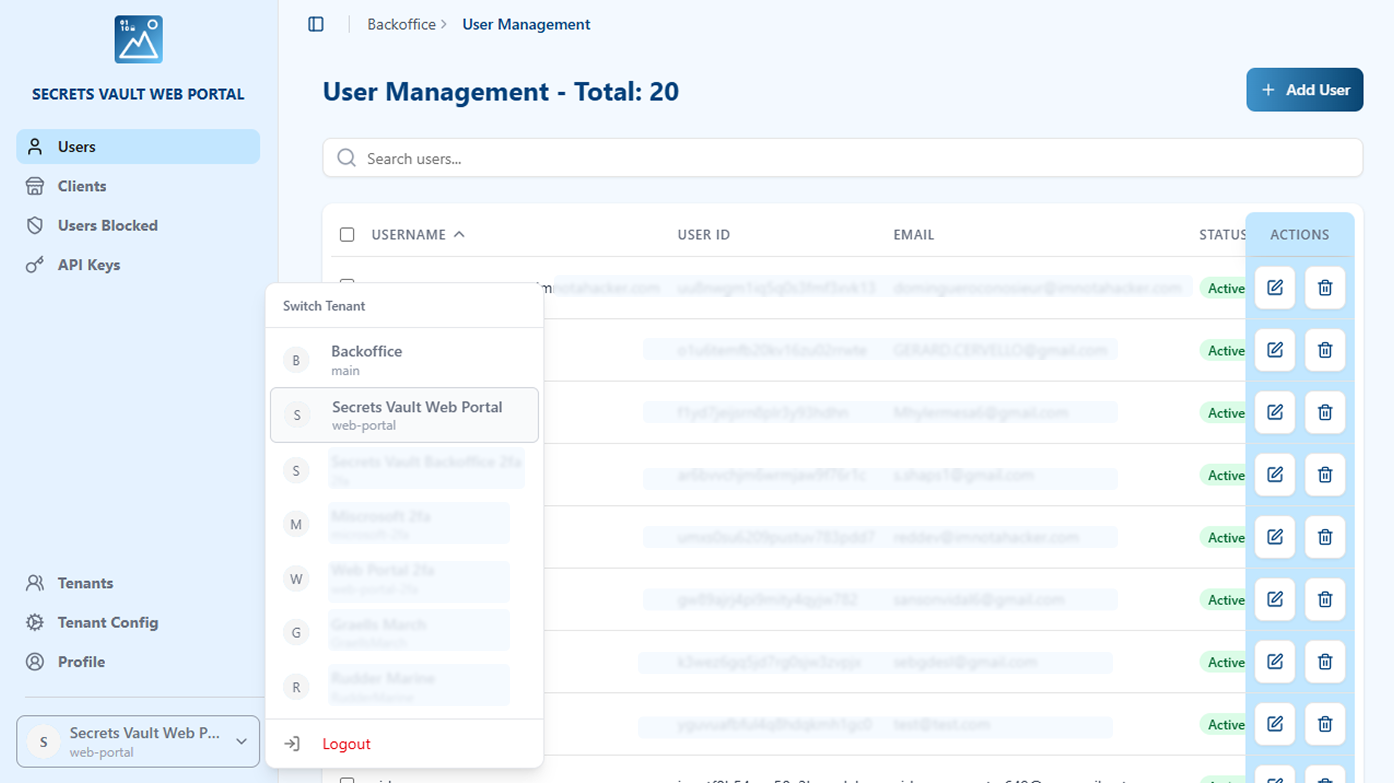
Your current tenant name is displayed in the bottom left corner of the sidebar. You can see both the tenant's display name and its internal identifier.
Switching Between Tenants
If your admin account has access to manage multiple tenants:
- Click on the tenant selector at the bottom of the left sidebar (showing your current tenant name).
- A dropdown menu will appear with all available tenants you can manage.
- Select the tenant you wish to switch to.
- The portal will load that tenant's management interface.
Logging Out
To log out of the Admin Portal:
- Locate the Logout button in the left sidebar (typically at the bottom, below the tenant selector).
- Click the Logout button.
- You will be redirected to the login page.
Your session will be terminated and you will need to log in again to access the Admin Portal.