Client Management
The Client Management section is where you register and configure the OIDC client applications that will use Visual Passcodes for authentication.
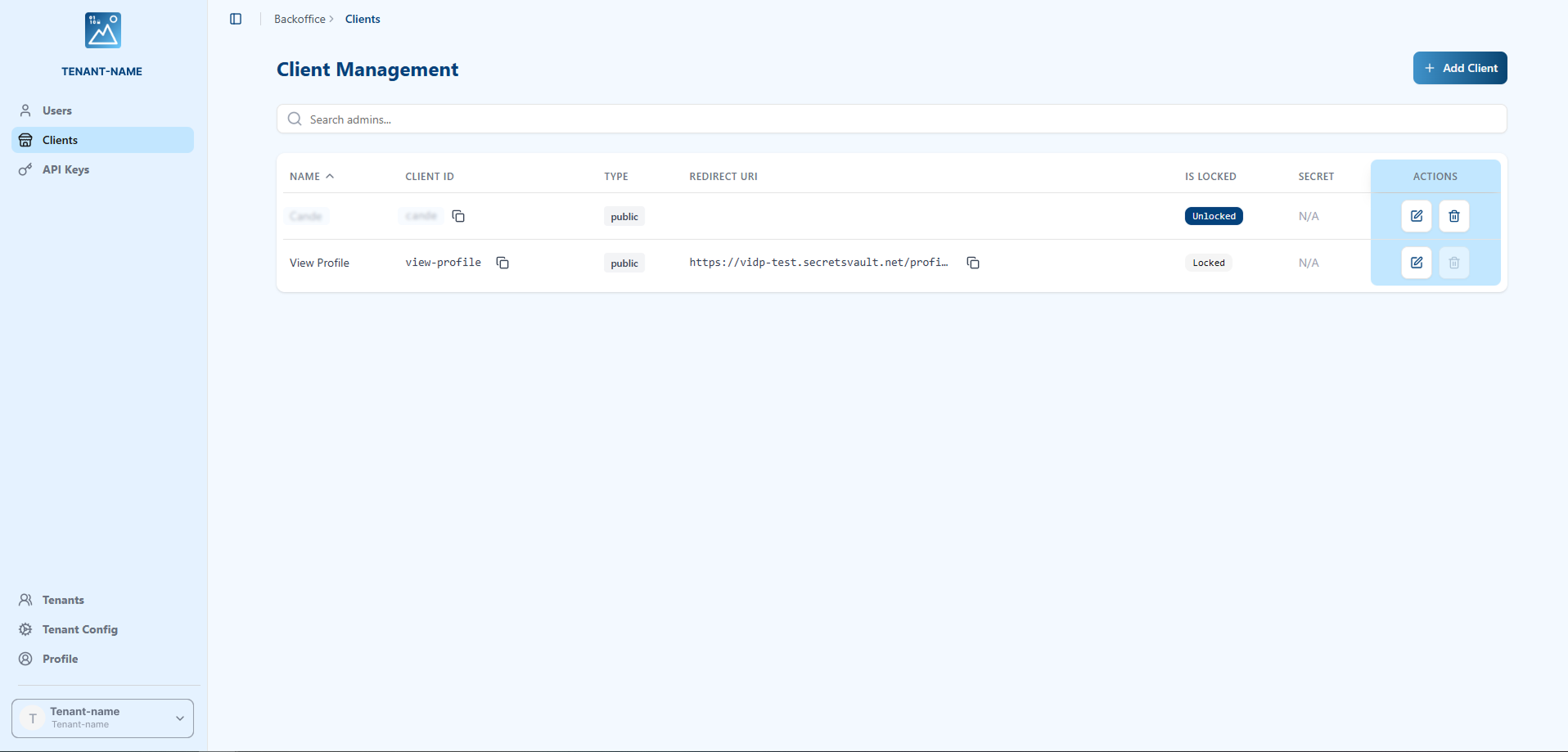
The main view displays a table of all registered clients with the following information:
- Name: The human-readable name of the application.
- Client ID: The public identifier for the client, used in the OIDC flow.
- Type: The client type, either
confidentialfor backend applications orpublicfor browser-based and mobile apps. - Redirect URI: The URL that Visual Passcodes is allowed to redirect to after authentication.
- Is Locked: A status indicating if the client is locked and cannot be deleted.
- Secret: The client secret, issued only to confidential clients.
- Actions: Edit or delete the client configuration.
Searching for Clients
At the top of the Client Management page, you'll find a search bar that allows you to quickly locate specific clients. You can search by:
- Client Name: Enter the name of the application you're looking for.
- Client ID: Enter the client's unique identifier.
- Redirect URI: Enter any redirect URI associated with the client.
The search results will be filtered in real-time as you type.
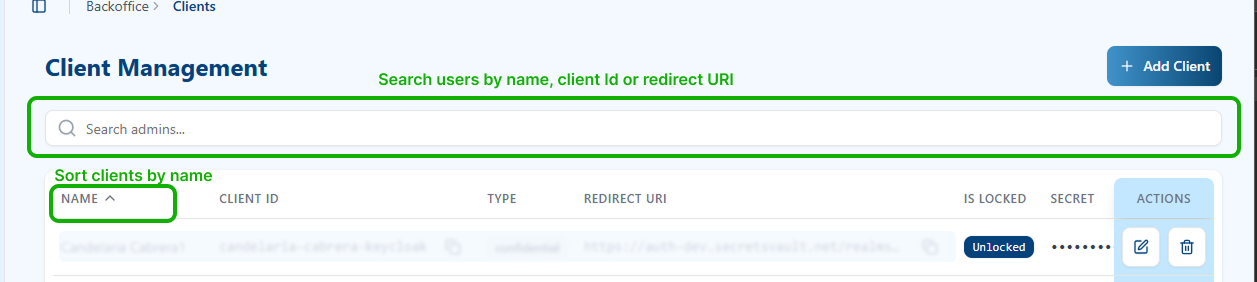
Sorting Clients
You can sort the client list alphabetically by Name by clicking on the NAME column header. This will arrange all clients in alphabetical order for easier navigation.
Client Actions
Each client in the list has an Actions column on the right side with two main functions:

Edit Client
Click the Edit button (pencil icon) to modify a client's configuration and settings. The Edit Client dialog will open, displaying all the client's configuration options.
From this dialog, you can update all aspects of your client's configuration:
Client Identification:
- Modify the client's display name
- View the Client ID (read-only)
URI Configurations:
- Add, edit, or remove Redirect URIs (one per line) - the URLs where users are redirected after authentication
- Add, edit, or remove Post Logout Redirect URIs (one per line) - the URLs where users are sent after logout
Client Toggles & Type:
- Enable/disable Self-Register Enable to allow or prevent user self-registration
- Enable/disable Lock (prevent delete) to protect the client from accidental deletion
- Change the Client Type between Confidential and Public
Security Configuration:
- Update the Algorithm used for token signing (EdDSA, RS256, HS256)
Branding & Legal Information:
- Update Logo URL for your application's logo
- Update Privacy Policy URL
- Update Terms of Service URL
- Update User Agreement URL
Application URLs:
- Configure Client Base URL for your application
- Configure Client Logout URL for custom logout handling
Advanced Configuration:
- Configure Special Flow settings if your application requires custom authentication flows
- Select the flow type and provide an Issuer URL if needed
After making any changes, click the Update button to save your modifications.
Delete Client
Click the Delete button (trash icon) to remove a client from the system. A confirmation dialog will appear to prevent accidental deletions.
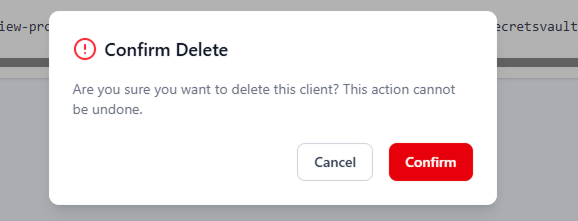
Once you confirm the deletion, the client will be permanently removed from the system. This action cannot be undone. Note: If the client is locked, you will not be able to delete it until you unlock it by editing the client and toggling off the "Lock (prevent delete)" option.
Creating a New Client
Click the + Add Client button to register a new application. This will open a comprehensive form for the client's OIDC configuration.
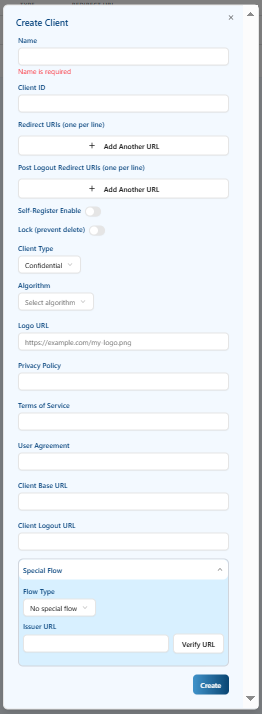
Field Requirements
When filling out the client registration form, please note:
- Mandatory fields are marked with an asterisk (*) and must be completed before you can save the client.
- Optional fields can be left empty if the functionality is not needed for your application.
Client Configuration Fields
Core Identity Information:
- Name (Mandatory): A friendly name for your application that will be displayed in the admin portal.
- Client ID (Mandatory): The unique identifier for this client used in the OIDC flow. This is typically auto-generated but can be customized.
Branding:
- Logo URL (Mandatory): URL to your application's logo. This logo will be displayed to users during the authentication flow.
Authentication & Redirect Configuration:
- Redirect URIs (Optional): One or more callback URLs that Visual Passcodes is allowed to redirect to after successful authentication. These must be absolute URLs and are specified one per line.
- Post Logout Redirect URIs (Optional): One or more URLs where users will be redirected after logging out. Must be absolute URLs, specified one per line.
Client Type & Security:
-
Client Type (Optional): Select the type of client:
Confidential: For server-side applications that can securely store and protect a client secret (e.g., backend applications, web servers).Public: For browser-based or mobile applications that cannot keep secrets confidential (e.g., single-page applications, native mobile apps).
-
Algorithm (Optional): The cryptographic algorithm used for signing tokens. Available options include:
RS256: RSA Signature with SHA-256. A widely-used asymmetric algorithm, compatible with most systems.EdDSA: Edwards-curve Digital Signature Algorithm. A modern, high-performance algorithm recommended for new implementations.
Select the appropriate algorithm based on your security requirements and system compatibility.
Client Behavior & Control:
- Self-Register Enable (Optional): A toggle to allow users to register themselves via this client's authentication flow. When enabled, users can create new accounts during the login process.
- Lock (prevent delete) (Optional): A toggle to lock the client configuration and prevent accidental or unauthorized deletion. When enabled, the client cannot be deleted until this lock is removed.
Policy Information:
- Privacy Policy (Optional): URL to your application's privacy policy. Users may be directed to this page during the authentication process.
- Terms of Service (Optional): URL to your application's terms of service.
- User Agreement (Optional): URL to your user agreement document.
Application URLs:
- Client Base URL (Optional): The base URL for your client application. This is used for redirects and references within the authentication flow.
- Client Logout URL (Optional): The URL where logout requests should be sent for custom logout handling.
Advanced Configuration:
- Special Flow (Optional): Configure special or custom authentication flows:
- Flow Type (Optional):
No special flow: Use standard OIDC flows (recommended for most applications).Microsoft MFA: Integrate with Microsoft Multi-Factor Authentication for additional security layers.
- Issuer URL (Mandatory if using special flows): Required only when you select a special flow type other than "No special flow". Specifies the token issuer URL for the custom flow configuration. You can use the Verify URL button to validate the issuer URL.
- Flow Type (Optional):