API Key Management
The API Key Management section allows you to create and manage keys for programmatic access to the Visual Passcodes administrative APIs.
About API Keys
API keys provide secure, programmatic access to administrative functions within Visual Passcodes. They are designed for machine-to-machine (M2M) communication, allowing automated systems and applications to interact with the Visual Passcodes API without requiring OpenID Connect user authentication.
How API Keys Work
Unlike standard user authentication which uses the OpenID Connect flow, API keys enable direct API access for administrative operations. This means:
- No user authentication required: Your scripts and applications can access the API directly using the key
- Direct programmatic control: Modify user properties, manage client configurations, and perform administrative tasks via API calls
- Machine-to-machine authentication: Perfect for server-to-server communication where no human user is involved
- Simplified integration: Skip the OAuth/OIDC flow complexity for backend automation tasks
Use Cases
API keys enable you to:
- Automate user management: Create, update, or delete user accounts programmatically
- Manage client applications: Register and configure OIDC clients via API
- Integrate with external systems: Connect your existing tools and workflows to Visual Passcodes
- Build custom automation: Develop scripts and applications that interact with the admin API
- Control access with scopes: Define granular permissions for each API key based on specific needs
API keys are particularly useful for CI/CD pipelines, automated provisioning systems, custom admin dashboards, integration with identity management platforms, and any scenario where backend services need to manage Visual Passcodes resources without user interaction.
Important Security Note: Each API key grants access to sensitive administrative functions. Treat API keys like passwords—store them securely, rotate them regularly, and never commit them to version control systems.
API Key List
The main view displays a table of all your API keys with the following information:
- Name: The descriptive name you assigned to the key
- Scopes: The permissions granted to this API key
- Created At: The date and time when the key was created
- Actions: Regenerate or delete the API key
Creating a New API Key
To create a new key, click the + Create New API Key button.
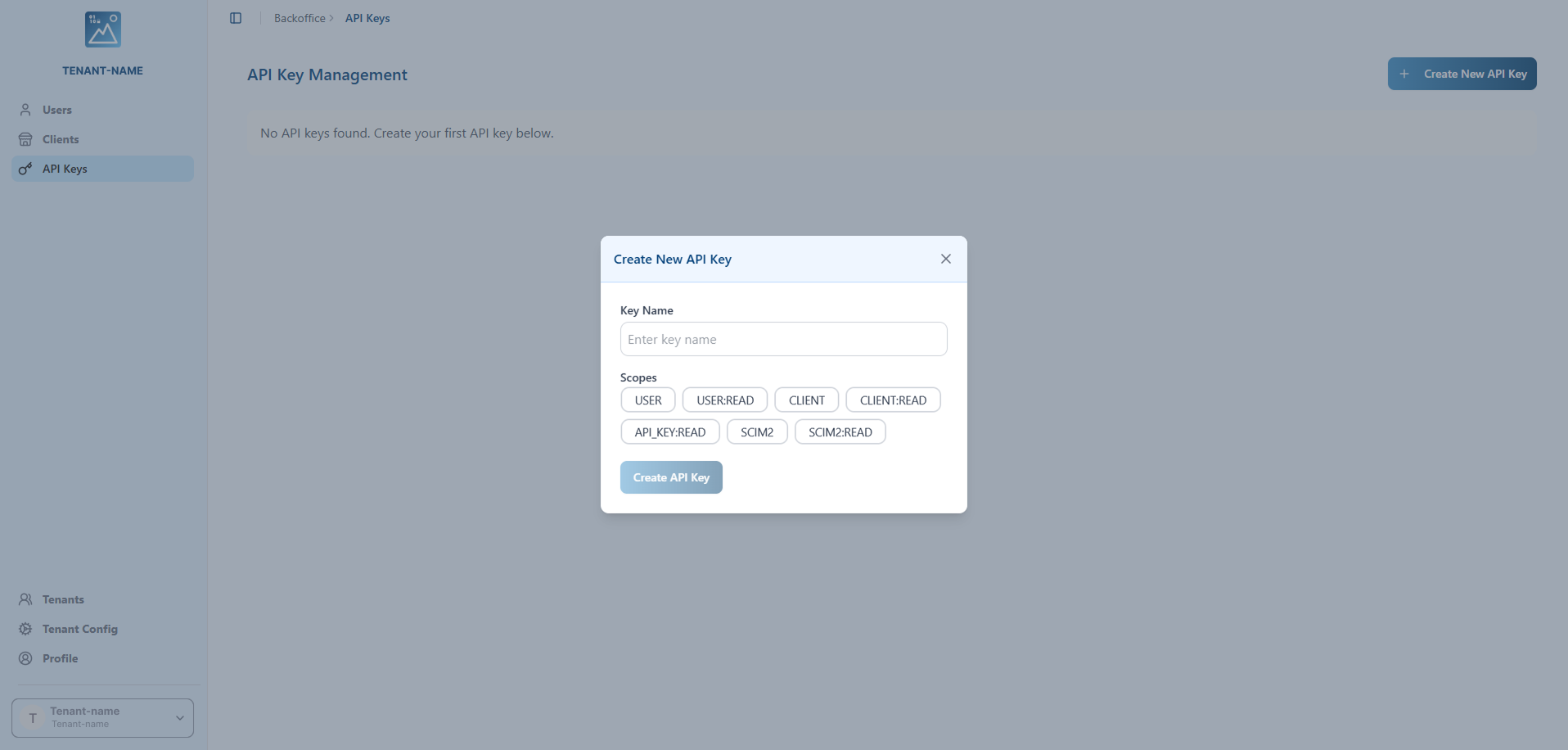
Fill out the following fields:
-
Key Name (Mandatory): Provide a descriptive name for your key to easily identify its purpose (e.g., "CI/CD Pipeline", "User Sync Script").
-
Scopes (Mandatory): Select one or more scopes to define the permissions for this API key. The available scopes determine which API endpoints the key can access. You must select at least one scope.
Available scopes include:
USER: Full access to user-related endpoints (create, read, update, delete users).USER:READ: Read-only access to user information.CLIENT: Full access to client-related endpoints (create, read, update, delete clients).CLIENT:READ: Read-only access to client configurations.SCIM2: Full access to scim2 endpoints (create, read, update, delete users) for provisioning and synchronization.SCIM2:READ: Read-only access to scim2 for read users.API_KEY:READ: Access to read API key information.
Saving Your API Key
Once you click Create, a success dialog will appear showing your newly generated API key.
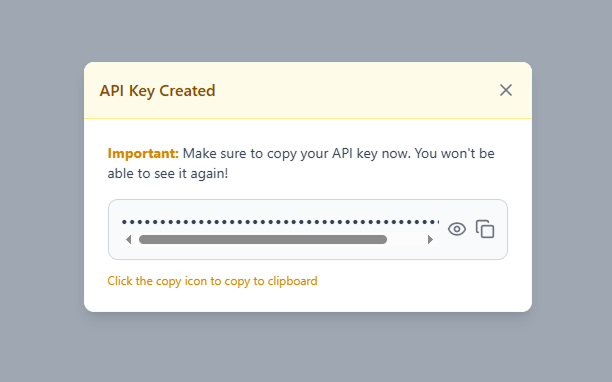
IMPORTANT: This is the only time you will see the complete API key. You must copy and store it immediately in a secure location such as:
- A password manager
- A secrets management system (e.g., Secrets Vault)
- Environment variables in your secure deployment system
You will not be able to retrieve this key again. If you lose it, you will need to regenerate it.
Use the copy icon to copy the key to your clipboard, then store it securely before closing the dialog.
Managing Existing API Keys
Each API key in the list has an Actions column with two options:

Regenerate API Key
Click the Regenerate button (refresh icon) to generate a new key value for an existing API key. This is useful when:
- You suspect the key has been compromised
- You need to rotate keys as part of your security policy
- The key has been accidentally exposed
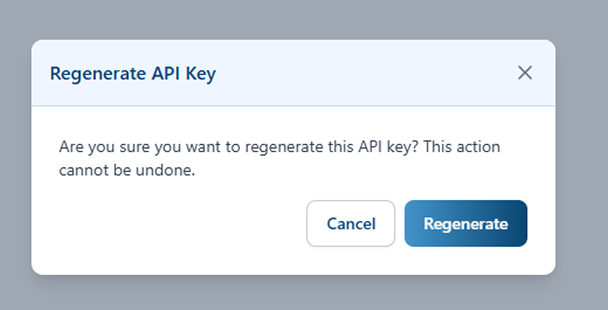
When you click regenerate, a confirmation dialog will appear warning you that this action cannot be undone. If you confirm:
- A new API key value will be generated
- The old key value will be immediately invalidated
- You will be shown the new key value (same as during creation)
- Any systems using the old key will stop working until updated with the new key
Important: Update all systems and applications using this API key with the new value immediately after regeneration.
Delete API Key
Click the Delete button (trash icon) to permanently remove an API key. This completely revokes access for that key.
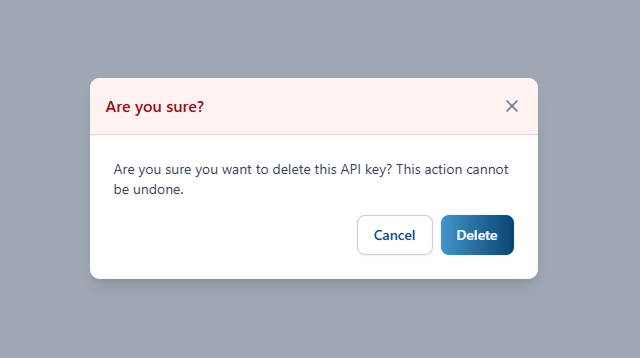
A confirmation dialog will appear to prevent accidental deletion. Once confirmed, the API key will be permanently deleted and cannot be recovered. Any applications or systems using this key will immediately lose access.