User Authentication
This section covers the core user access flows in the portal.
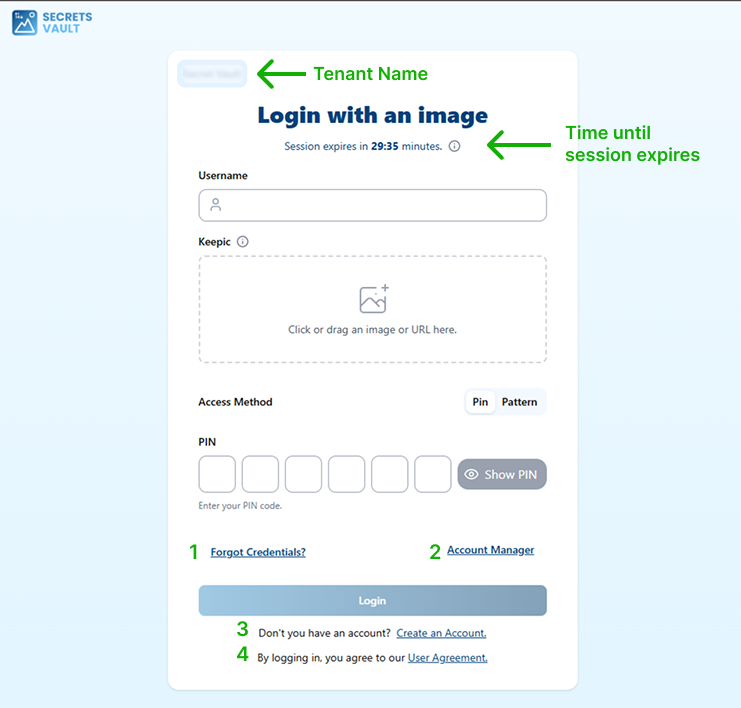
In the login view above, note the highlighted elements:
- The header displays the tenant name.
- A countdown indicates how long the session remains active.
- The numbered links correspond to the sections described below.
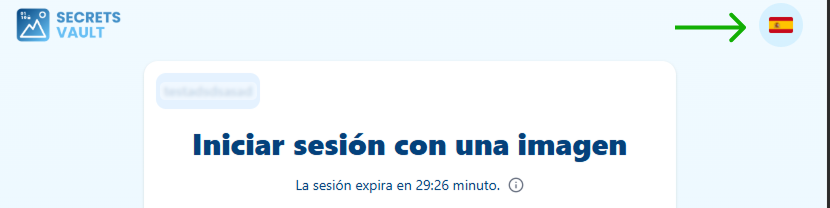
Clicking the language button highlighted above expands a list of available languages, allowing the user to select their preferred one.
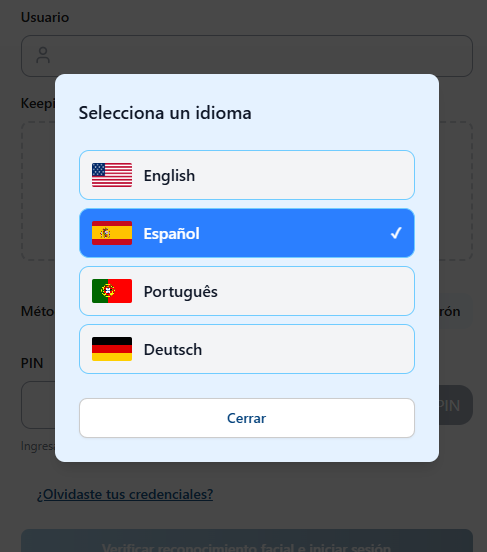
This language preference is persisted to the user's profile once they complete registration or login.
From this menu, you can access the following sections:
- Login: Sign in using username, Keepic, and PIN or pattern.
- Register: Create a new account when self-registration is enabled (3).
- Credentials Reset: Recover access through the forgot-credentials flow (1).
- User Profile: View and manage personal information and settings (2).
- User Agreement: Review the terms and conditions of the service (4).
Each flow is documented independently to simplify future updates.